Retro pre-hydration shell
Launching CodeGrind...
Please wait while the desktop runtime restores your session and loads the app shell.
Startup progress
Retro pre-hydration shell
Please wait while the desktop runtime restores your session and loads the app shell.
Startup progress
CodeGrind is a coding platform built for the AI era. Learn the fundamentals, use AI to build on what you know, and verify that it actually works. Whether you're learning from scratch or prepping for interviews, you grow in both coding ability and AI fluency. The two skills that matter most.
Solve original interview-style coding challenges in Free Play, Ranked, or Challenge modes. Generate unlimited custom problems with AI. Play Code Breach, a tower defense game where programming concepts become your weapons. Follow structured Learning Paths to build skills from the ground up. Earn XP, level up, unlock achievements, and connect with our Discord community for daily challenges and tournaments.
Solve coding problems at your own pace with no pressure. Perfect for learning concepts, experimenting with solutions, and practicing without affecting your stats.
Compete for high scores on the global leaderboard. Your score is calculated based on speed, memory usage, submissions, and AI assistance. Aim for the perfect 1000!
Push your limits with modifiers like Time Attack, Matrix Bomb effects, random character insertions, and AI restrictions. Earn bonus points for completing challenges!
A unique coding game where programming concepts become towers. Place Function, Object, Loop, and other code-based towers to defend against waves of digital threats!
Structured, beginner-friendly courses that combine lessons, coding exercises, AI you can lean on or challenge yourself without, and games for reinforcement. Learn concepts, apply them with AI, and verify the results. Start with Python and progress at your own pace.
Generate custom coding challenges using AI. Choose problem type, difficulty (1-10), language, and even a 'wackiness' level for creative twists on standard problems.
Get hints, explanations, and guidance from our AI-powered chat assistant, then verify what it gives you. Learn to leverage AI effectively and catch its mistakes. Use as much or as little as you want. You're building real skills either way.
Earn XP for solving problems, completing learning paths, and playing tower defense. Level up through ranks from Greenhorn to CodeGrind Champ!
Track your progress with detailed submission history, success rates, coding streaks, best times, and unlock achievements for various milestones.
Join our Discord server for daily challenges, tournaments, leaderboard announcements, and to connect with other coders. Link your account for exclusive perks!
The Problem Workspace is your coding environment. It features a three-panel layout with the problem description, a syntax-highlighted code editor supporting Python, JavaScript, Java, and C++, and an AI chat assistant.
Three Game Modes:
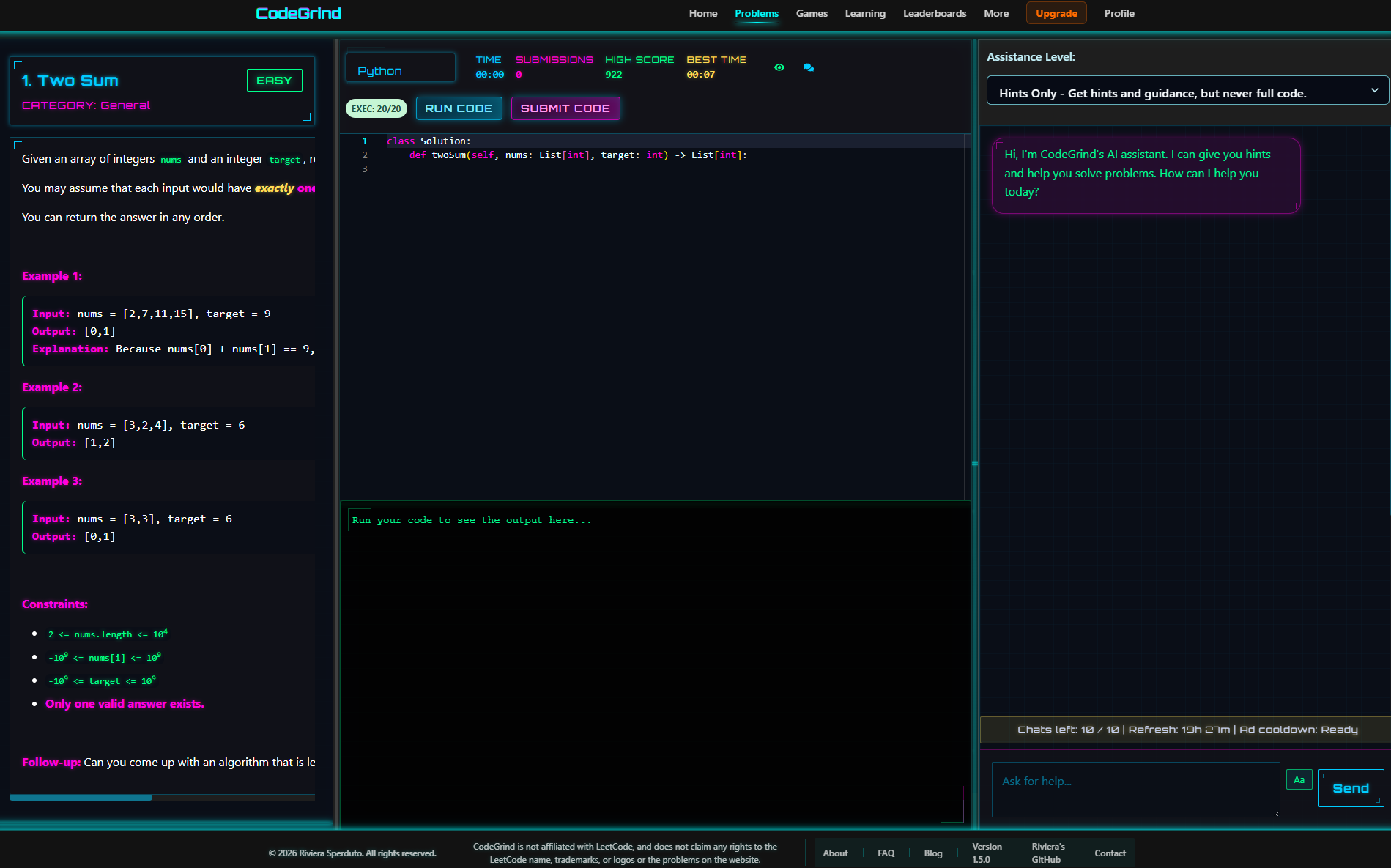
In Ranked and Challenge modes, you start with a maximum score of 1000 points per problem. Your final score is calculated based on multiple performance factors:
Challenge Mode Bonuses: Enable modifiers like Time Attack, Matrix Bomb effects, or No AI restrictions to earn bonus points on top of your base score.
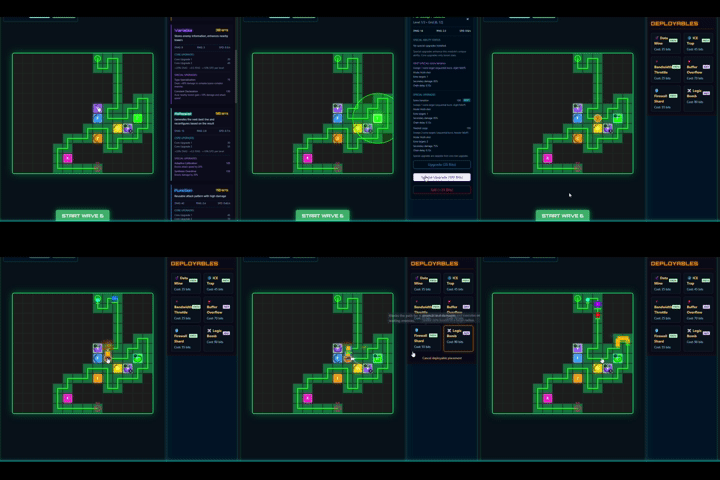
Code Breach is a tower defense game where programming concepts become your weapons. Place towers representing Functions, Objects, Loops, Variables, and more to defend against waves of digital threats.
How It Works:
Tower Types: Function, Object, ForLoop, WhileLoop, IfCondition, Variable, Return, TryCatch, Switch, Non-Code Generation towers, AI-Assist, each with unique abilities.
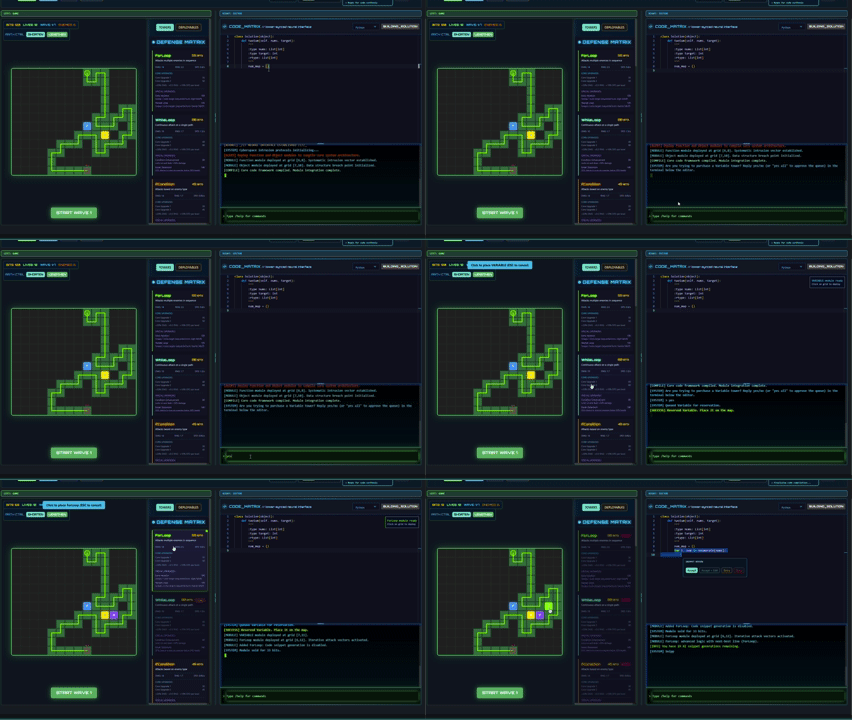
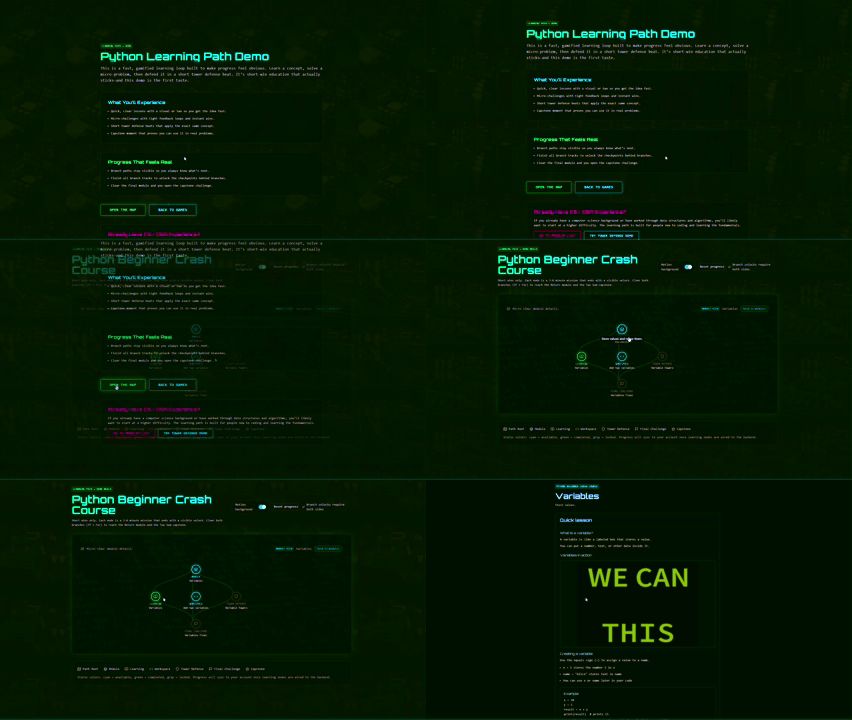
Learning Paths are structured, beginner-friendly courses that guide you from zero to confident coder. Each path combines interactive lessons, coding exercises, an AI assistant to help or challenge yourself without, and tower defense missions for hands-on reinforcement. You learn the concept, apply it with AI, and verify the result. You grow in both coding ability and AI fluency.
Currently Available: Python Beginner Crash Course
Modules: Hello World → Variables → If/Else → For Loops → Lists/Arrays → Returns → Capstone
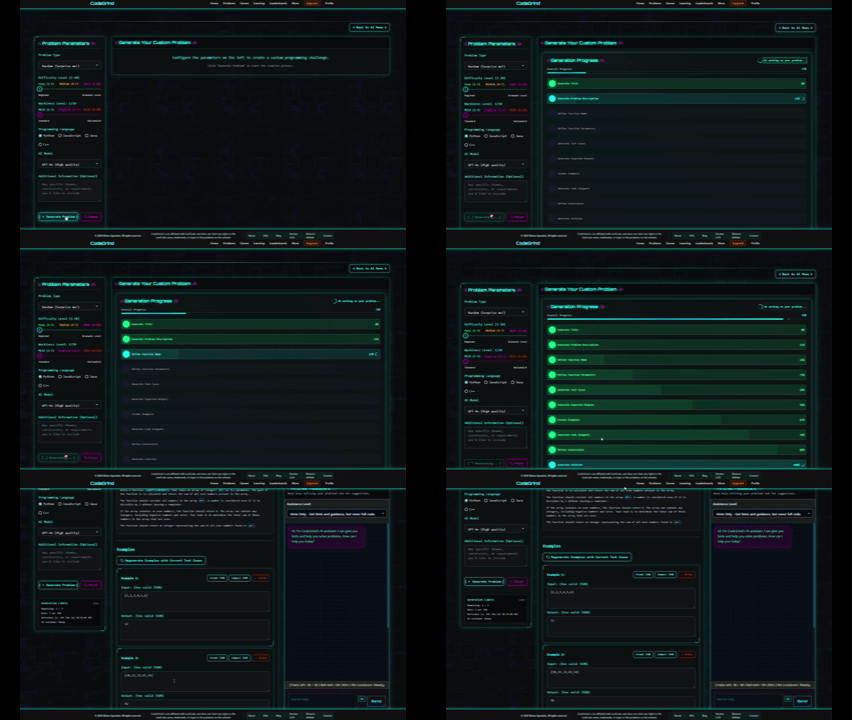
Never run out of problems to solve. Our AI-powered problem generator creates unique coding challenges on demand, complete with test cases, examples, constraints, and solutions.
Customization Options:
Generated problems include complete test cases, expected outputs, starter code templates, and a verified solution. You can save problems to your collection or share them with others.
Earn XP for everything you do on CodeGrind. Solving problems, completing learning path nodes, playing tower defense, and creating AI problems. Level up to unlock new ranks and Discord roles.
XP Rewards:
Ranks (Discord Roles):
Connect with the CodeGrind community on Discord. Link your account to sync your level and rank, participate in daily challenges and tournaments, and get announcements for new features.
Discord Features:
The Port Meridian city build and apartment terminal overhaul now use a shared attribution registry so creator credit stays visible both here and inside the apartment terminal in city mode.
Grouped by creator once. Covers the Port Meridian city build, including the current District 01 slice, the apartment terminal shell, desktop and phone cosmetics, the font stack, supporting sound packs, and the White Bat Audio music catalog already used across CodeGrind.
1 source
Port Meridian exterior streets, sidewalks, trash, and the base city tile language for the current District 01 slice.
1 source
Typewriter and dialog blips for desktop shell prompts, callouts, and phone UI.
1 source
Phone shell cosmetics, backgrounds, and handset customization hooks.
1 source
Cursor swaps for desktop shell themes and future apartment terminal cosmetics.
1 source
Retro desktop chrome references for shell windows, controls, and modal framing.
1 source
Desktop shell iconography, window language, and retro operating-system styling cues.
1 source
Additional pixel font option for shell headers and customization unlocks.
1 source
Primary retro desktop font candidate for shell chrome and system labels.
1 source
Supplemental skyline and ad-background backdrops for Port Meridian transitions.
1 source
Extra font option for shell themes and unlockable interface presets.
1 source
Pixel UI font option for desktop shell headings, tooltips, and terminal labels.
6 sources
Travel and loading-scene background option for district transfers.
Apartment upgrade and prop icon set for shop and room customization flows.
Backup skyline and ad-feed background plates for city transitions.
Desktop-feed billboards and in-world advertising props.
Animated ad strips for the apartment desktop feed and intro shell.
Additional animated ad loops for shell overlays, popups, and city signage.
1 source
Supplemental apartment and interior room dressing for Port Meridian spaces, including the current safehouse slice.
1 source
Desktop icon family for the apartment safehouse shell and future terminal themes.
1 source
Ambient room and city-noise layers for Port Meridian traversal.
1 source
Supplemental cyberpunk skyline background option for travel and ad surfaces.
1 source
Street traffic dressing and parked-car variation for the district exterior pass.
1 source
Ambient music bed candidate for apartment, transit, and city spaces.
1 source
Additional font option for desktop shell labels and cosmetic presets.
2 sources
Neon storefront accents and wayfinding signs across Port Meridian.
Street props and shop-adjacent environmental dressing.
1 source
Background music currently used across CodeGrind, including Port Meridian preview sequences, city mode, and tower-defense surfaces.
Items used: 10 to Midnight, Acacia, Alliance, Ammunition, Angel Heart, Anima, Aura, B.F.G., Body Double, Casualty, Centurion, Channel 4, Consumed, Corrosive, Cosmic Death Machine, Countach, Dead Silence, Departure, Destroyer, Dissent, Diva, Doomed to Survive, Dragged Across Concrete, Dream of Mirrors, Elysium, Empty City, Enslaved, Faces of Death, Ghost Protocol, I Must Not Fear, Jupiter, Kryptos, Last Man Standing, Looking Back, Lost Vegas, Menace, Miami Justice, Midnight Run, New Beginnings, Night Crawler, Notorious, Ocean View, Patrol Bot, Pentagram, Playback, Radiation Sickness, Reckless Love, Sanctum, Sanity Unravels, Self Inflicted, She Needs You, Somewhere in Time, Sulaco, Tenebrae, The Bouncer, The Prophet, The Resistance, The Traveler, The Witch, Thirst, Torn Flesh, Touch the Sky, Tyrell Corporation, Unhuman, VHS Vision, War Games, Warhead, Whistler, White Lotus, Xerxes, You Can’t Kill the Boogeyman
1 source
Fallback retro system-font reference for desktop shell typography.
1 source
Monitor bezel art that makes the in-world apartment terminal match the shell overlay.
1 source
Primary interior tileset candidate for apartment expansions and future city interiors.
1 source
Alternative pixel font for desktop personalization and toy-like shell themes.
1 source
Earlier apartment interior candidate retained as a staged backup set.
1 source
Animated sign set for city blocks and ad-heavy storefront clusters.
1 source
UI icon family for shell apps, contracts, phone surfaces, and tower-defense chrome.
2 sources
Additional icon family for shell apps, phone tools, and device widgets.
Pixel system-font option for shell windows, Monaco styling, and OS chrome.
1 source
Terminal clicks, confirm tones, and UI audio for apartment shell interactions.
1 source
Additional futuristic font option for unlockable shell variants.
1 source
OS-shell and terminal font candidate for boot screens and command panes.
1 source
Additional pixel font option for shell personalization.
1 source
Reference source for matching classic Windows desktop typography inside the shell.
1 source
Error, warning, and failure-state stingers for desktop and city interactions.
1 source
Extra interior pieces for shops, fixer offices, and learning-module rooms.
1 source
Tower-defense and shell linework reference set for the retro OS presentation.
1 source
16x16 icon family that better matches the current Port Meridian art direction.
We use high-quality sound effects and music to enhance the gaming experience. All audio assets are either under Creative Commons 0 license, properly attributed as required, or were generated using AI.
All music by Karl Casey is copyright safe to use with proper attribution to "Karl Casey @ White Bat Audio"
For complete attribution details, including links to original sources and license information, please see ourAudio Attribution document.